
Home / Monitoring / DNS monitoring

DNS MONITORING
DNS monitoring.
Clearer answers.
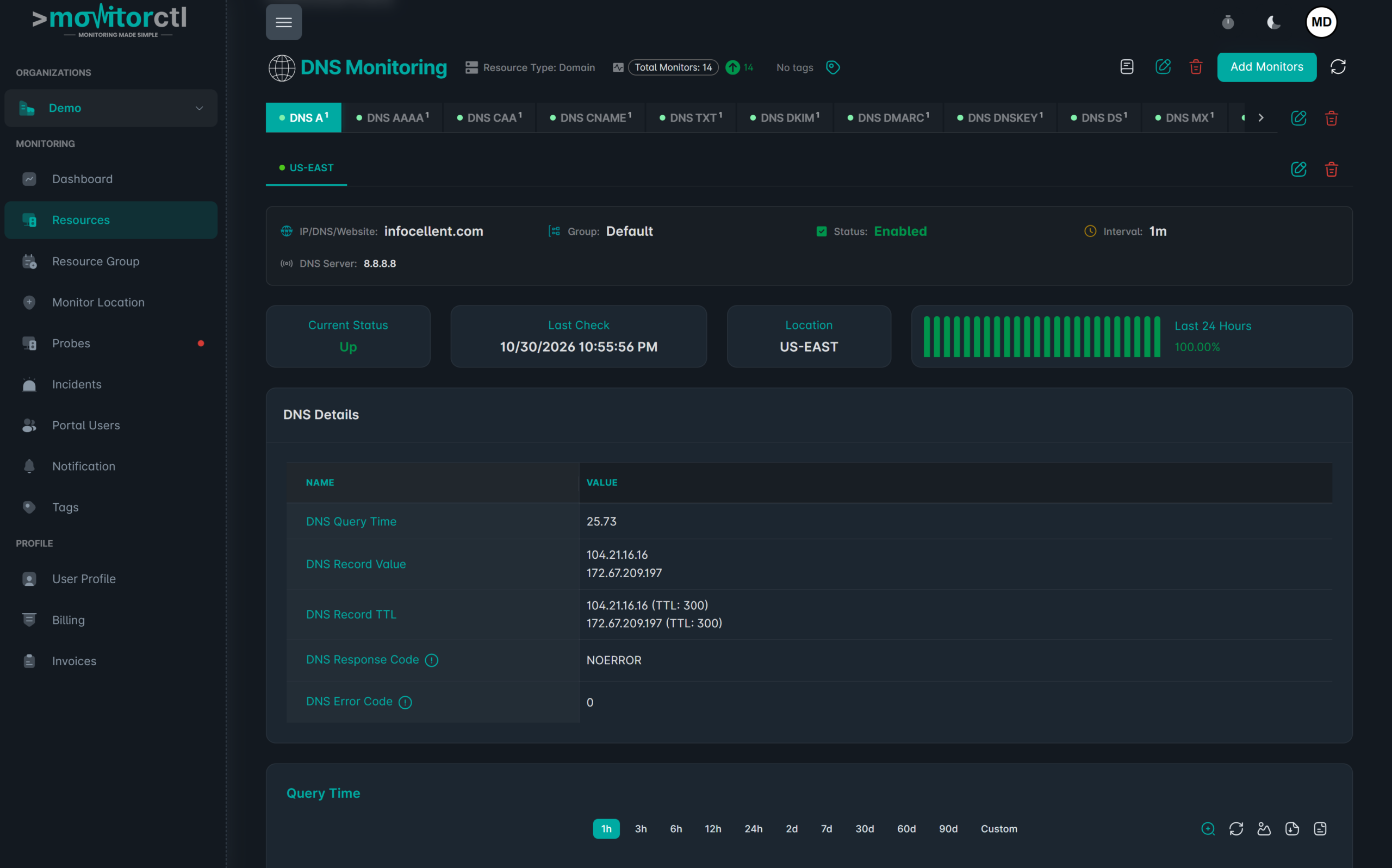
Use DNS monitoring to track records, DNS server availability, and query performance. See when name resolution changes or slows down so your team has a clearer place to start investigating.
Monitor types, intervals, and advanced options vary by plan.
BUILT FOR DAY-TO-DAY OPERATIONS
Make name resolution easier to investigate.
01
Follow important records.
Monitor the DNS records that support your websites, email, and other services. Keep record changes visible during everyday operations.
02
Check the DNS response.
Track query success, response codes, and server availability to help distinguish resolution problems from application issues.
03
Watch lookup performance.
Review DNS query-time trends and TTL information when investigating slow lookups or the behavior of a recent change.
Take a closer look at your DNS records.
Watch a walkthrough of the MonitorCTL workspace. Use the player controls to pause or view it full screen.
WHERE IT HELPS
Useful context before
you blame the application.
A reachable server does not help if users cannot resolve the right address. DNS monitoring adds a separate layer of visibility alongside website, port, and infrastructure checks.
A DNS check and an HTTP check answer different questions. Combine DNS checks with website monitoring and domain expiration monitoring for a broader view of reachability.
Website resolution
Watch the records that direct visitors to your web services.
Email routing
Keep important MX and related DNS records under observation.
DNS changes
Review monitored results when your team changes hosting, providers, or records.
FROM CONFIGURATION TO CONTEXT
Make the first check count.
01 / SETUP
Choose a record or server
Configure a DNS monitor for the target and record type you need to observe.
02 / SETUP
Set the monitoring options
Choose the available query settings and notification channels.
03 / SETUP
Review the result
Use records, response information, and query trends to investigate changes or failures.

KEEP THE RIGHT PEOPLE INFORMED
Bring alerts into your team’s workflow.
Choose email or supported integrations such as Slack, Microsoft Teams, and webhooks. Use maintenance windows for planned work and acknowledgements or comments to add incident context.
Notification channels and workflow features depend on your plan.
A FEW USEFUL ANSWERS
Know what your
check tells you.
Which DNS record types are described?
MonitorCTL’s DNS service lists A, AAAA, MX, CNAME, TXT, and NS records, among others. Confirm the available types in the monitor setup.
Can I check DNS-server availability?
Yes. The DNS service describes checks for server availability, query success, response codes, failures, and timeouts.
Does a DNS alert automatically change my records?
Monitoring provides visibility and notifications. Your team manages DNS changes through the appropriate DNS provider or administrative tools.
Should DNS monitoring replace website checks?
No. DNS checks show resolution behavior, while website checks show the response from the web endpoint. Together they provide more context.
BUILD A MORE COMPLETE VIEW
The next useful signal.

Website monitoring
Web availability

Domain expiration monitoring
Domains & continuity

TCP port monitoring
Service connectivity
Give DNS the visibility
your services depend on.
Choose the monitoring that fits your environment. Start with a free account, or talk with us about your infrastructure.
Website and infrastructure monitoring.
A clearer view of what matters.
A clearer view of what matters.