
Home / Monitoring / Enterprise monitoring

ENTERPRISE MONITORING
Network monitoring.
One clear view.
Network monitoring software for routers, switches, firewalls, access points, and servers. Connect private infrastructure to MonitorCTL through a probe in your environment and bring availability, performance, and alerts into one workflow.
Monitor types, intervals, and advanced options vary by plan.
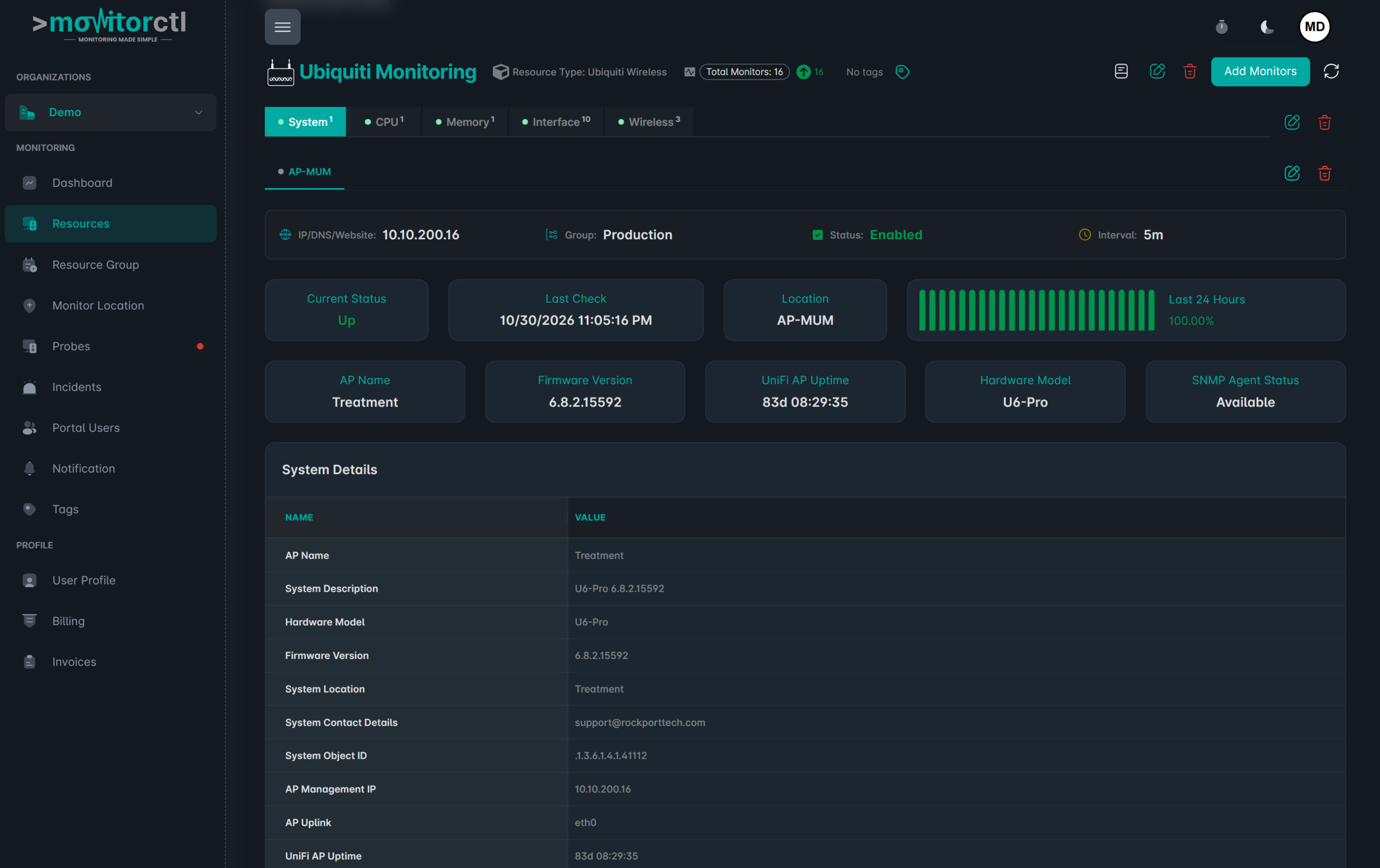
BUILT FOR DAY-TO-DAY OPERATIONS
Bring infrastructure context to your team.
01
Reach internal systems.
Deploy a MonitorCTL probe with the appropriate network access to monitor services and devices in your private environment.
02
Follow health and performance.
Use the monitor types suited to each system, from reachability checks to SNMP device and interface metrics.
03
Coordinate the response.
Combine alerts, performance history, acknowledgements, and comments so the people responsible can investigate with shared context.
Explore your infrastructure resources.
Watch a walkthrough of the MonitorCTL workspace. Use the player controls to pause or view it full screen.
WHERE IT HELPS
Your infrastructure.
One connected workflow.
Public website checks show one part of service availability. Add internal device and connectivity monitoring to see more of the systems that support your users.
Choose SNMP monitoring for device metrics, server monitoring for Windows, Linux and hardware, or internet link monitoring for business connectivity.
Network operations
Track routers, switches, firewalls, and wireless access points.
Server environments
Observe availability and supported performance metrics for important systems.
Distributed teams
Bring monitoring from supported private environments into the cloud platform.
FROM CONFIGURATION TO CONTEXT
Make the first check count.
01 / SETUP
Map the environment
Identify the devices, services, and locations your team needs to observe.
02 / SETUP
Deploy a probe
Configure the probe, device access, and supported monitor types for the environment.
03 / SETUP
Set the operating workflow
Choose notifications, team access, maintenance windows, and review practices.

KEEP THE RIGHT PEOPLE INFORMED
Bring alerts into your team’s workflow.
Choose email or supported integrations such as Slack, Microsoft Teams, and webhooks. Use maintenance windows for planned work and acknowledgements or comments to add incident context.
Notification channels and workflow features depend on your plan.
A FEW USEFUL ANSWERS
Know what your
check tells you.
How does MonitorCTL reach private devices?
A probe deployed in your environment provides the monitoring vantage point for private infrastructure. Deployment and connectivity requirements should be reviewed for your setup.
What kinds of devices are described?
The enterprise service lists routers, firewalls, switches, access points, and servers. The metrics available depend on the device and monitor type.
Can I combine public and private monitoring?
MonitorCTL presents website and infrastructure monitoring in one platform. Confirm the probe capacity and monitor types included in your plan.
Where should we start with an enterprise deployment?
Start with a small set of critical devices and services. Book a demo to discuss your topology, access requirements, monitoring scope, and plan.
BUILD A MORE COMPLETE VIEW
The next useful signal.

SNMP monitoring
Device health & performance

Internet link monitoring
WAN & connectivity

Ping monitoring
Reachability & latency
Bring your private
infrastructure into view.
Choose the monitoring that fits your environment. Start with a free account, or talk with us about your infrastructure.
Website and infrastructure monitoring.
A clearer view of what matters.
A clearer view of what matters.