
Home / Monitoring / Synthetic website monitoring

SYNTHETIC WEBSITE MONITORING
Synthetic website
monitoring.
Run browser-based, multi-step checks with MonitorCTL synthetic website monitoring. Verify that journeys such as signing in, searching, and submitting a form reach the outcome you expect.
Monitor types, intervals, and advanced options vary by plan.
Product tour / Overview / Use cases / Getting started / FAQs
BUILT FOR DAY-TO-DAY OPERATIONS
Watch the experience behind the page.
01
Follow a complete journey.
A working homepage does not guarantee a working application. Test a sequence of browser interactions that represents an important task.
02
Define what success looks like.
Choose the outcome that matters at each stage, such as reaching the next page or seeing the expected result. Make the check reflect the task, not just the URL.
03
Make checks repeatable.
Use the same journey to compare normal operation with failures and to check important flows after a release.
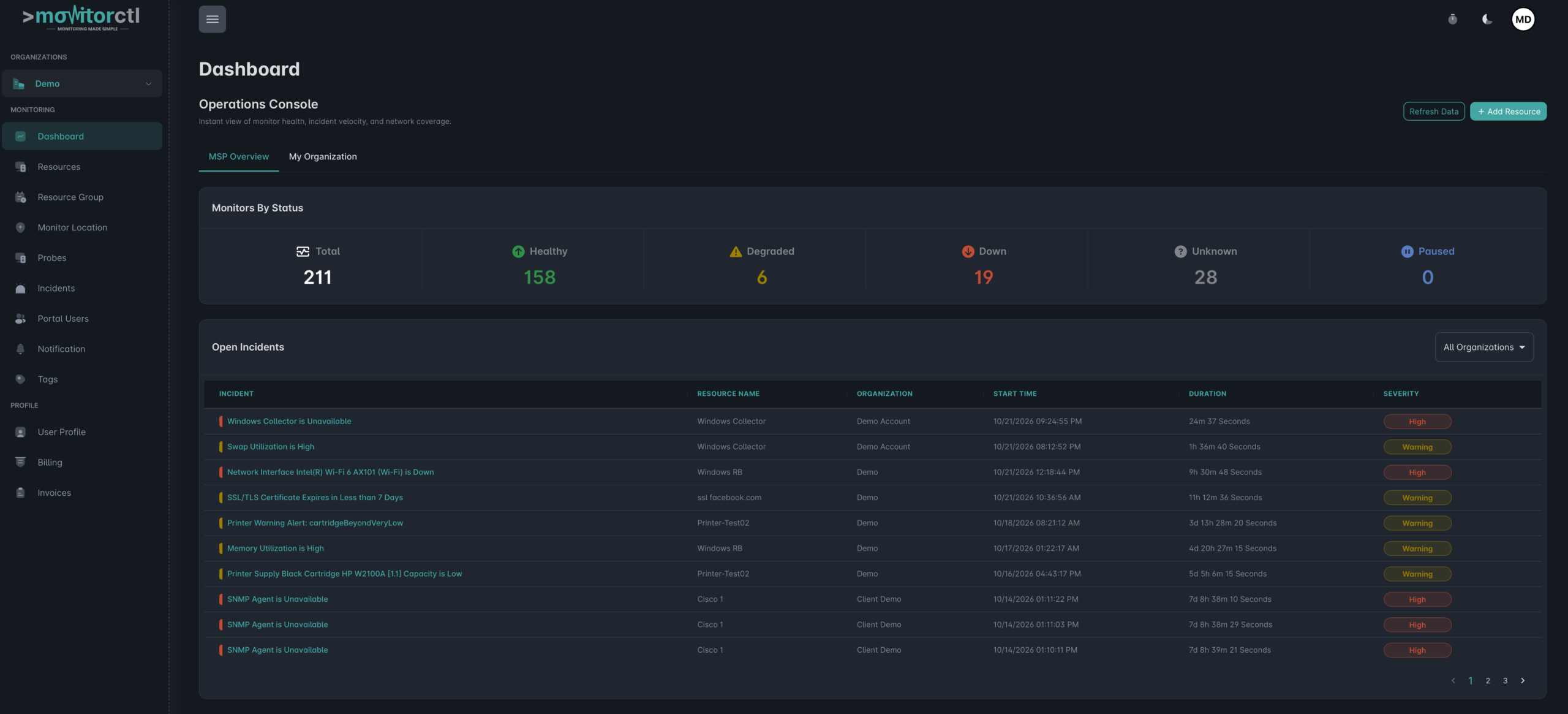
Explore the MonitorCTL workspace.
Take a tour of the MonitorCTL dashboard and its monitoring overview. Use the player controls to pause or view the workspace full screen.
WHERE IT HELPS
Start with the paths
that matter most.
Prioritize a small set of essential journeys. Give each one a clear purpose, an expected result, and an owner who can respond when the check fails.
Use website uptime monitoring to check availability and API monitoring to validate the services behind a journey. Synthetic checks test a defined workflow; they do not measure every real visitor session.
Sign-in and account access
Check that a test user can complete the sign-in journey and reach the expected account page.
Search and product discovery
Follow a search or navigation flow to verify that visitors can find the information or products they need.
Forms and checkout flows
Test important submissions and purchase paths with dedicated test data and sandbox payment flows.
FROM CONFIGURATION TO CONTEXT
Build a check around your service.
01 / SETUP
Choose a journey
Select a critical task and prepare a dedicated test account or test data where needed.
02 / SETUP
Build the browser steps
Configure the interactions and expected outcomes for the journey, then run it to confirm the sequence.
03 / SETUP
Schedule and respond
Choose the available schedule and notification settings. Review failures with the team responsible for that experience.

KEEP THE RIGHT PEOPLE INFORMED
Bring alerts into your team’s workflow.
Choose email or supported integrations such as Slack, Microsoft Teams, and webhooks. Use maintenance windows for planned work and acknowledgements or comments to add incident context.
Notification channels and workflow features depend on your plan.
A FEW USEFUL ANSWERS
Answers for your
monitoring plan.
How is synthetic monitoring different from website monitoring?
Website monitoring checks an address and its response. Synthetic monitoring follows a browser-based sequence, helping you assess whether a user can complete a task across several steps.
Can I monitor a journey that requires sign-in?
Yes. MonitorCTL supports browser-based multi-step journeys. Use a dedicated test account and confirm that the sign-in flow can be completed by your configured check.
Can I test a checkout or submission flow?
Yes, when the flow is configured for monitoring. Use test accounts, non-production destinations, or sandbox transactions so a scheduled check does not create real orders or send unintended messages.
Does this replace real-user monitoring or load testing?
No. A synthetic check runs a defined journey. It does not represent every visitor or simulate traffic at scale; combine it with other testing and operational data as needed.
BUILD A MORE COMPLETE VIEW
The next useful signal.

API monitoring
Endpoints & response validation
Website monitoring
Web availability

SSL monitoring
Certificates & trust
Keep critical journeys
in working order.
Show us the website flow you want to monitor. We can help you plan a repeatable check and review the options available for your account.
Website and infrastructure monitoring.
A clearer view of what matters.